Memory Atlas is a macOS application for arranging, describing and preparing your archives for preservation. You build the tree of a fonds (fonds, series, files, items), describe each level following the ISAD(G) standard, link your descriptions to authority records and to your digital files, then export a transfer package for Obscura Flow.
This guide is a step-by-step tutorial. It follows a single example from start to finish: Léa Martin, a photographer, describes thirty years of studio archives and prepares the transfer of her “Project A — Lisières.” Every screenshot comes from the application, using this same example.
Contents
- Install and get started — install the application, the welcome window, choose the language.
- Create a repository — the
.atlasfile, the country code and the repository code, the repository identity. - Build the tree — create the fonds, its series, files and items; rename, move, filter, Trash.
- Describe a unit — the Essential and Complete modes, dates, extent, “Mark Described.”
- Inheritance — state once, at the fonds level, what applies to all its descendants.
- Authorities and access points — creators, linked persons and corporate bodies; places, subjects, genres.
- The accession register — gifts, deposits and purchases, and how they link to fonds.
- Digital objects — associate files without copying them, create one item per file, find a file that has moved.
- Search — global search, its filters and the ⌘K command palette.
- Validate and transfer — validate a branch, “Prepare for Preservation,” track transfers.
- Settings and safety copies — language, default mode, export folder, automatic copies and restoring.
- Troubleshooting and FAQ — read-only mode, damaged repository, file not found…
The example used in this guide
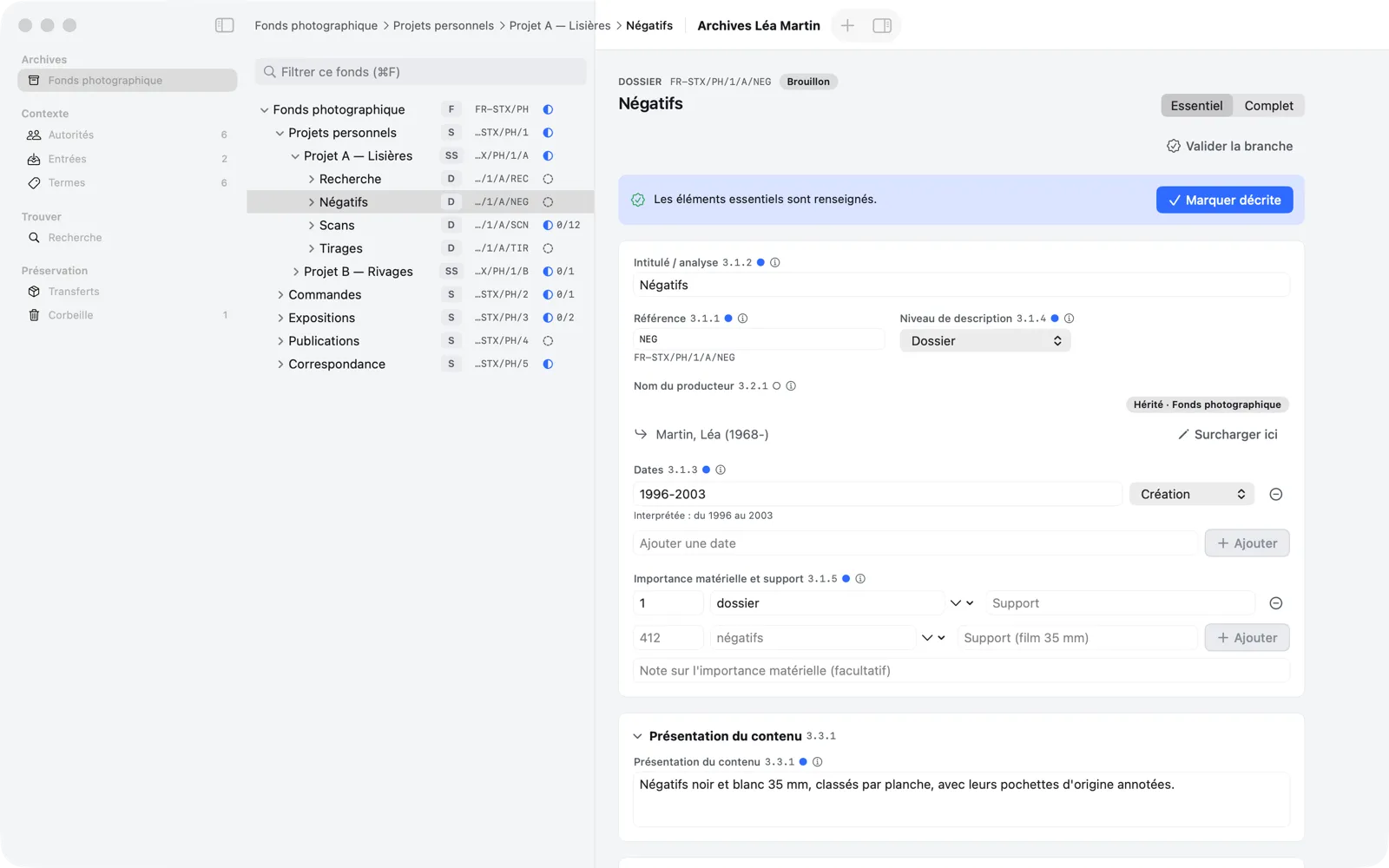
Léa Martin, born in Lyon in 1968, describes her archives in a repository named “Léa Martin Archives” (country code FR, repository code STX). The final tree looks like this:
Photographic fonds                       FR-STX/PH
├── Personal projects                     FR-STX/PH/1
│   ├── Project A — Lisières              FR-STX/PH/1/A
│   │   ├── Research                      FR-STX/PH/1/A/REC
│   │   ├── Negatives                     FR-STX/PH/1/A/NEG
│   │   ├── Scans (12 items, one per file)       FR-STX/PH/1/A/SCN
│   │   └── Prints                        FR-STX/PH/1/A/TIR
│   └── Project B — Rivages               FR-STX/PH/1/B
├── Commissions (creator: Studio X)       FR-STX/PH/2
├── Exhibitions                           FR-STX/PH/3
├── Publications                          FR-STX/PH/4
└── Correspondence                        FR-STX/PH/5
Léa is the creator of the fonds; the “Commissions” series has a different creator, the Studio X agency. The fonds came in through a deposit recorded in the accession register. The twelve scans of Project A stay in their Finder folder: Memory Atlas keeps a link to each one, never a copy.
Conventions
- Interface labels are written in bold or in quotation marks: New Child Unit, “Mark Described.”
- A menu path is written File › Repository Identity….
- Keyboard shortcuts use the Mac symbols: ⌘ (Command), ⌥ (Option), ⇧ (Shift), ⌃ (Control), ↩ (Return), ⌫ (Delete).
- Numbers like 3.1.2 refer to the elements of the ISAD(G) standard; the application shows them next to the fields (you can hide them in the settings).
- A “repository” is the
.atlasfile that holds your fonds; the word is used as is in the interface.
The interface is in French by default. Settings › General › Interface language switches it to English (see chapter 11).