A repository is an .atlas file on your disk. It holds your fonds, their descriptions, your authority records, your terms, your accession register and the history of your transfers. You can have several (one per archives service, per client, per project…); each one opens in its own window.
The digital files you describe (scans, photos, PDFs…) are not copied into the repository: it only keeps a link to them.
Create Léa’s repository
- In the welcome window, click New Repository… (or File › New Repository…, ⇧⌘N).
- Fill in the New Repository sheet:
- Name: “Léa Martin Archives”.
- Country code (ISO 3166): two letters, here
FR(suggested from your Mac’s settings). - Repository code (optional):
STX.
- Click Create…, choose the folder where the file will be saved, then confirm.
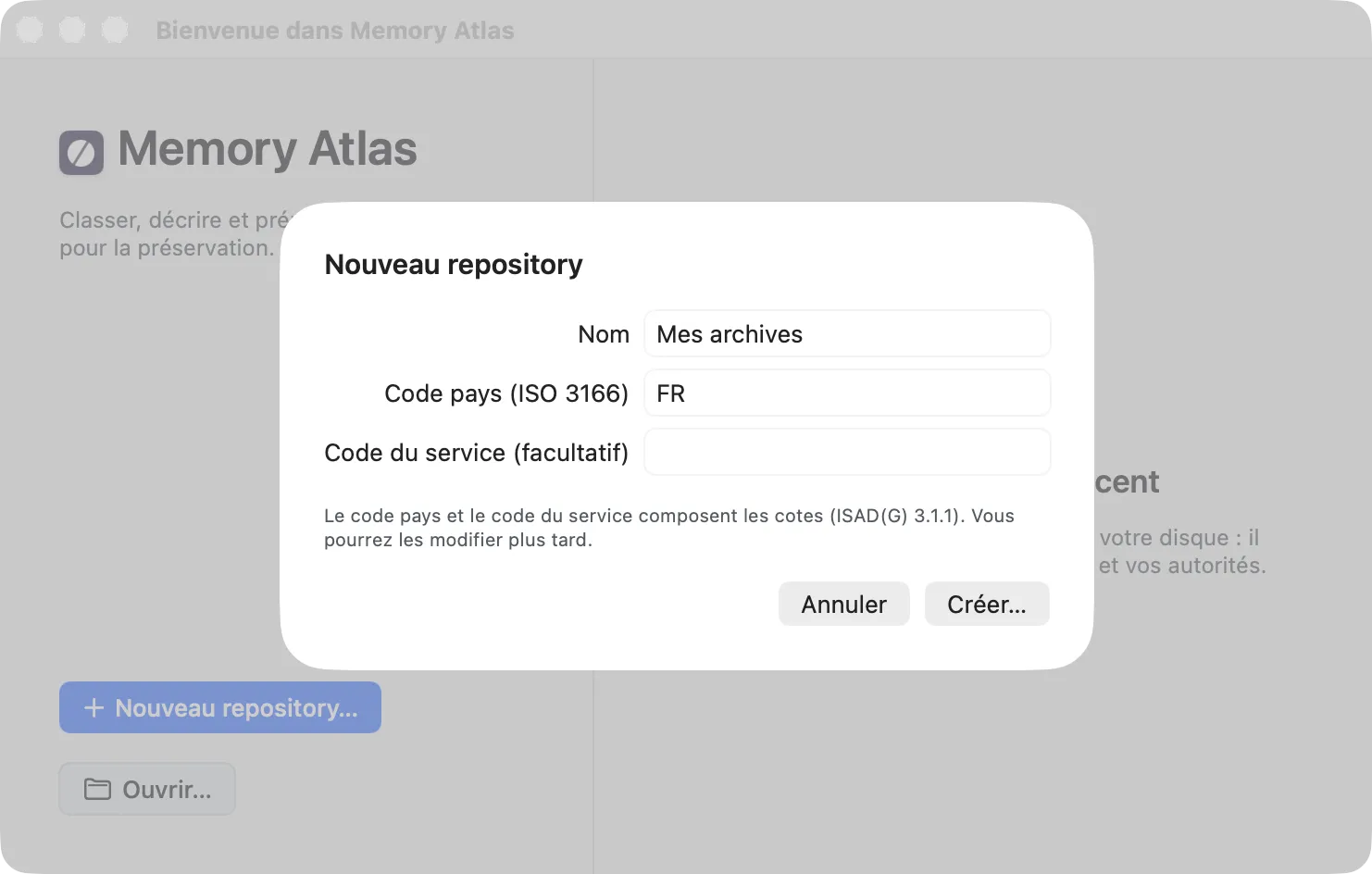
The country code and the repository code make up the start of every reference code (ISAD(G) 3.1.1): with FR and STX, Léa’s fonds will have the reference code FR-STX/PH. You can change them later.
Where should you keep the file? Avoid synced folders (iCloud Drive, Dropbox, Google Drive): a sync that runs while the database is being written can damage it. If you choose such a folder, Memory Atlas warns you and asks you to confirm (Continue Anyway or Cancel); a banner then reminds you of it at the top of the window. Prefer a local folder that is backed up.
The repository window
The repository opens right away. It is empty: the center column invites you to Create a fonds.
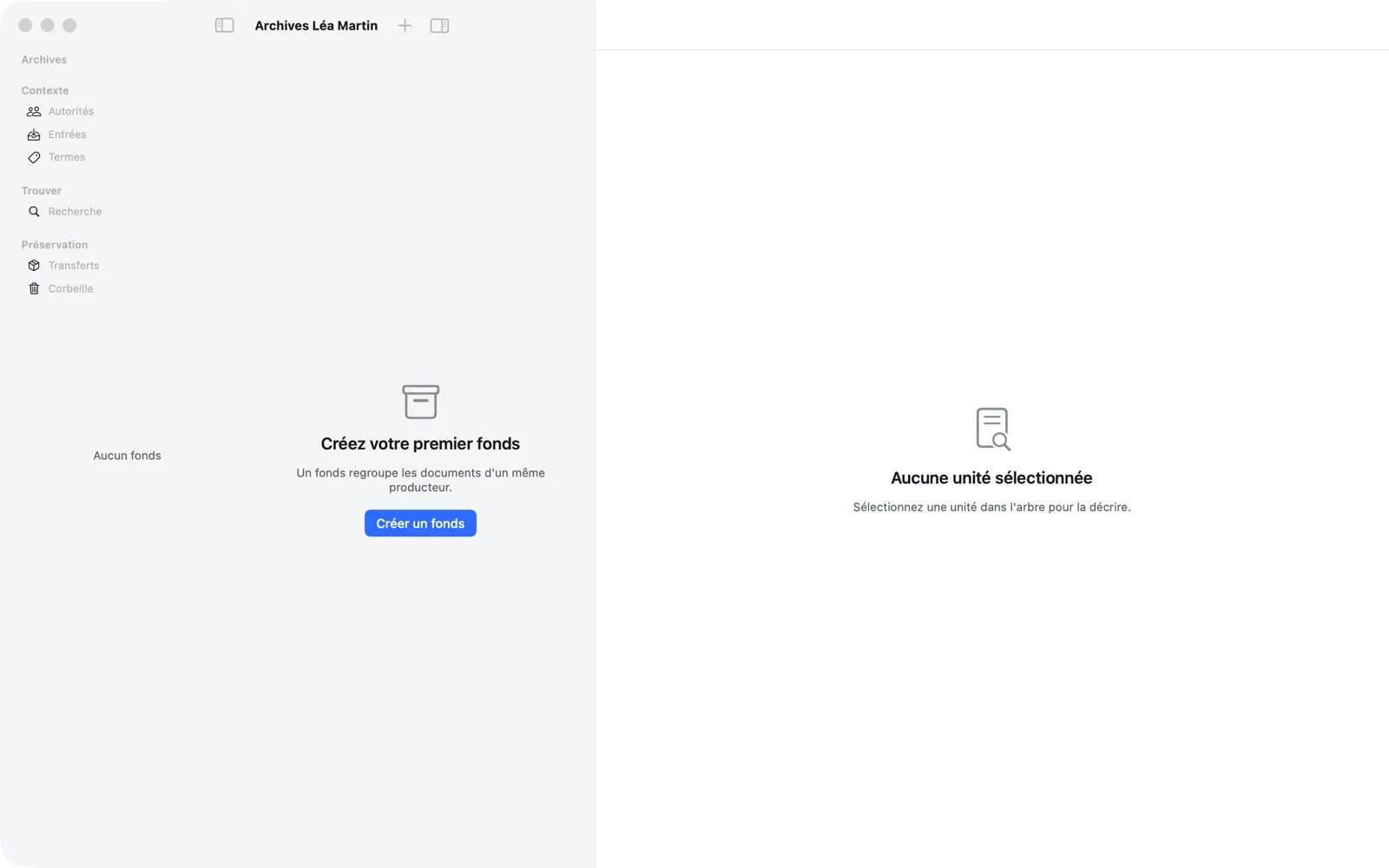
The window has three columns:
- The sidebar, on the left, lists your fonds (Archives section) and the other destinations: Authorities, Accessions, Terms (Context section), Search (Find section), Transfers (Preservation section) and the Trash. The number to the right of a destination counts its items.
- The center column shows the tree of the chosen fonds, or the list of the chosen destination.
- The right column shows the description of the selected unit, or the details of the item chosen in the list.
When the window is narrow, the sidebar collapses to make room for the tree and the description. Its button stays at the top left of the toolbar, next to the window buttons (“Show Sidebar”): one click reopens it, a second collapses it. ⌃⌘S does the same.
A fourth panel, the inspector, opens on the right with the toolbar button or ⌥⌘I (see Inheritance).
The repository identity
File › Repository Identity… opens the sheet that sets, for this repository only:
- the Name;
- the Country code (ISO 3166), two letters, for example
FR; - the Repository code, the second segment of every reference code;
- the Reference code separator, a single character (the slash by default);
- the Archivist’s name, which signs new description events (3.7.3) and the warnings you accept;
- the Default rules or conventions, used in 3.7.2 by units that don’t give their own (“ISAD(G), 2e éd., ICA, 2000” to begin with).
The Preview shows a sample reference code with the values you entered.
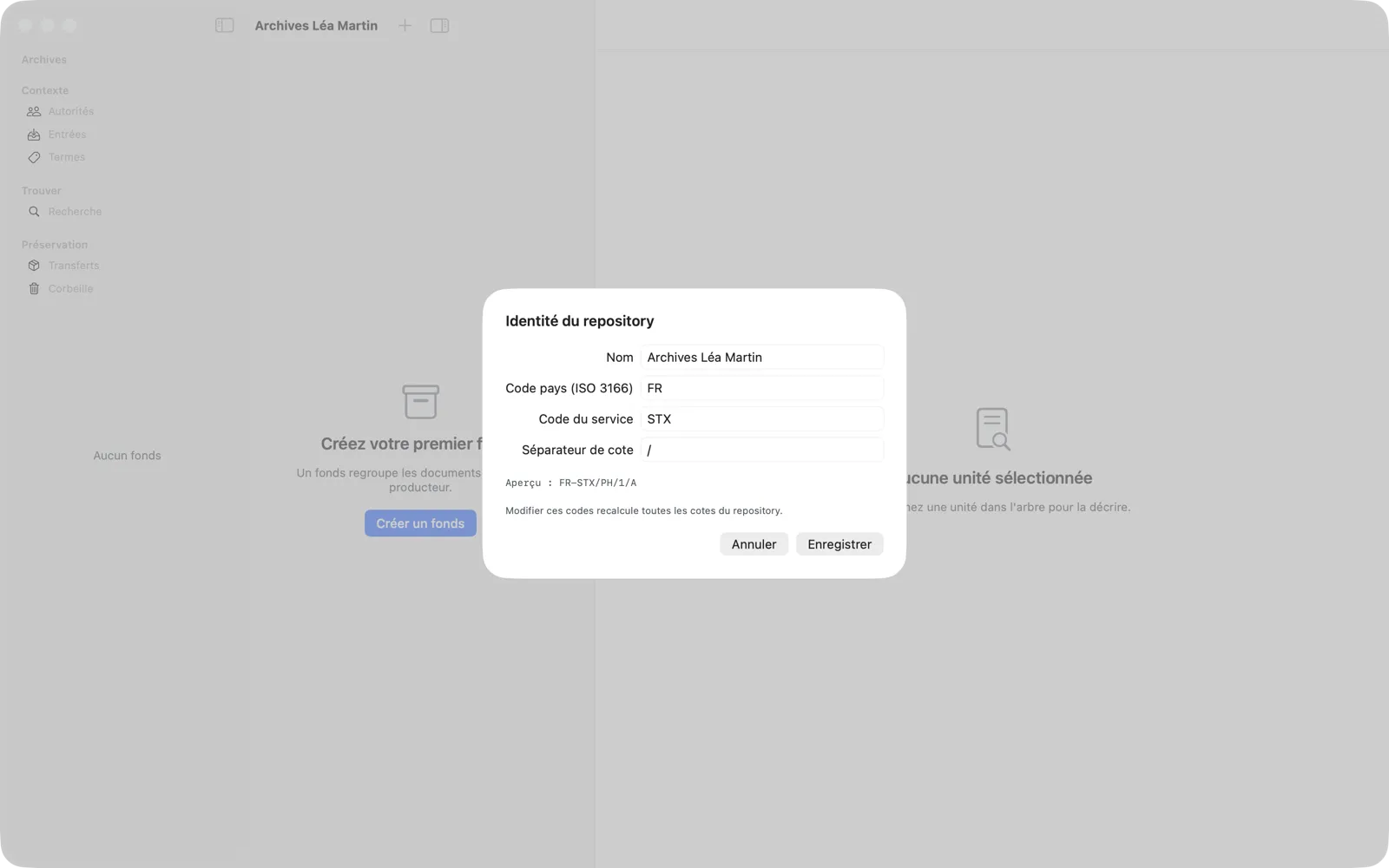
Changing these codes recomputes every reference code in the repository. This can be undone (⌘Z), as can changing the archivist’s name or the default rules, which doesn’t affect reference codes. The name only applies to what is recorded afterward: the history already recorded doesn’t change. A field left empty means “none.” The country code and repository code must be filled in before a transfer (check P-04).