Two lists shared across the whole repository enrich your descriptions:
- authority records describe the persons, families and corporate bodies that created your archives (ISAAR(CPF) standard);
- terms are the access points: places, subjects, genres and forms.
An authority record or a term is entered once and linked to as many units as needed. Renaming it renames it everywhere.
The Authorities destination
Click Authorities in the sidebar (⌘2). The center column lists the authority records, with their type and the number of linked units; the right column shows the record of the chosen authority.
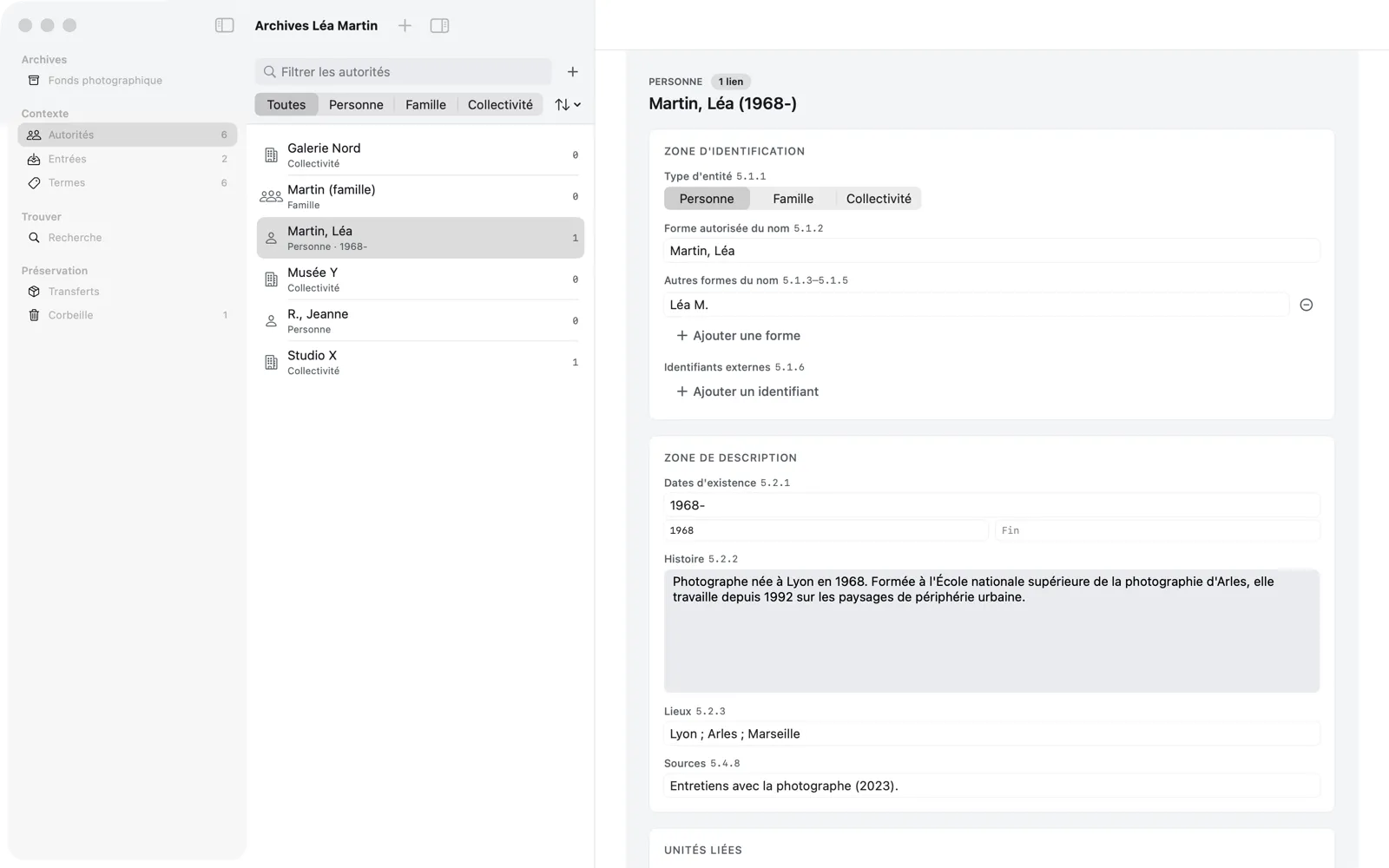
At the top of the list:
- Filter authority records finds an authority record by its name;
- the All, Person, Family, Corporate body buttons filter by type;
- the ⇅ Sort by menu sorts by Name or by number of Linked units;
- + (or ⌘N when the destination is showing) creates an authority record.
Create an authority record
+ opens the New Authority Record sheet: choose the Type of entity (Person, Family, Corporate body) and enter the Authorized form(s) of name (ISAAR(CPF) 5.1.2), for example “Martin, Léa.” Create adds it to the list.
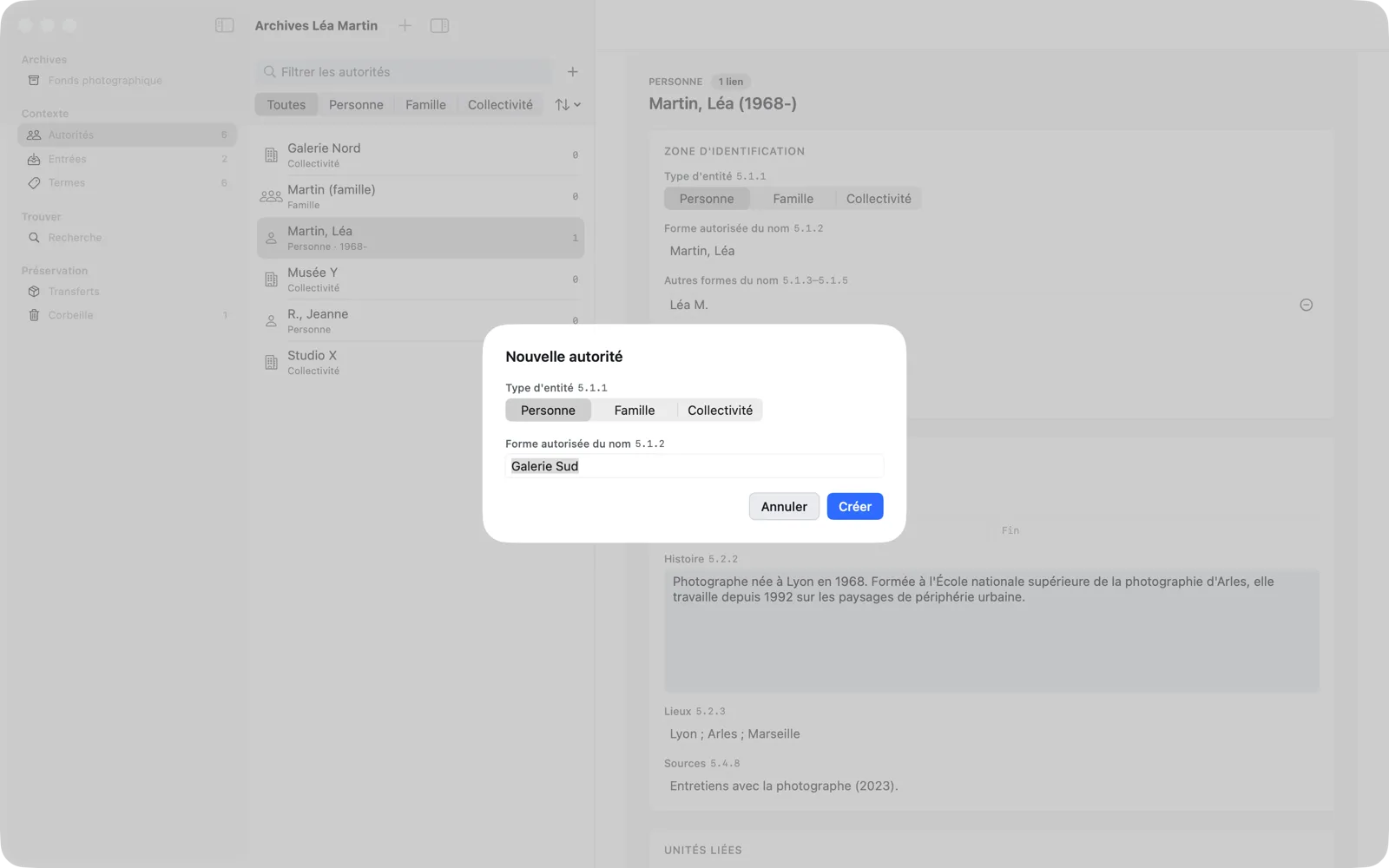
If this name already exists for this type, the sheet points it out and offers Use “…”; you can still create it, since homonyms exist.
Complete the record
You fill in the record like a description, and it is saved automatically:
- Identity area: type of entity, authorized form of name, Other forms of name (Add a form button), Identifiers (scheme and identifier, Add an identifier button);
- Description area: Dates of existence (free text, plus a normalized start and end, YYYY[-MM[-DD]]), History, Places, Sources.
The Linked units card, at the bottom of the record, lists the units linked to the authority record, grouped by role; Reveal in Tree takes you to them. Move to Trash removes the authority record; if it is linked to units, Memory Atlas lists the ones that would lose it and asks for confirmation. Its links are restored if you restore it.
Link a creator to a unit
The most common link is the creator (ISAD(G) 3.2.1). In a unit’s description, the Name of creator(s) field accepts one or more authority records:
- Click in Add a creator… and type the beginning of the name.
- Choose a suggestion with the arrow keys, then ↩, or click it.
- If the authority record doesn’t exist yet, choose Create “…”…: the New Authority Record sheet opens, already filled in with the name you typed.
Each creator appears as a tag; its menu lets you Move Before, Move After or Remove it. The creator given to the fonds is inherited by all its units, except where you override it (see Inheritance). A unit with no creator, neither local nor inherited, cannot be validated (rule V-07).
Access points
The Access points card of a description links the unit to terms:
- Choose the type of term to create with the Place, Subject or Genre / form picker.
- Type the term in Add a place, a subject, a genre…; choose an existing suggestion or Create “…” (type).
For Project A, Léa adds “Lyon” (place), “Urban fringe” (subject) and “Film photography” (genre / form):
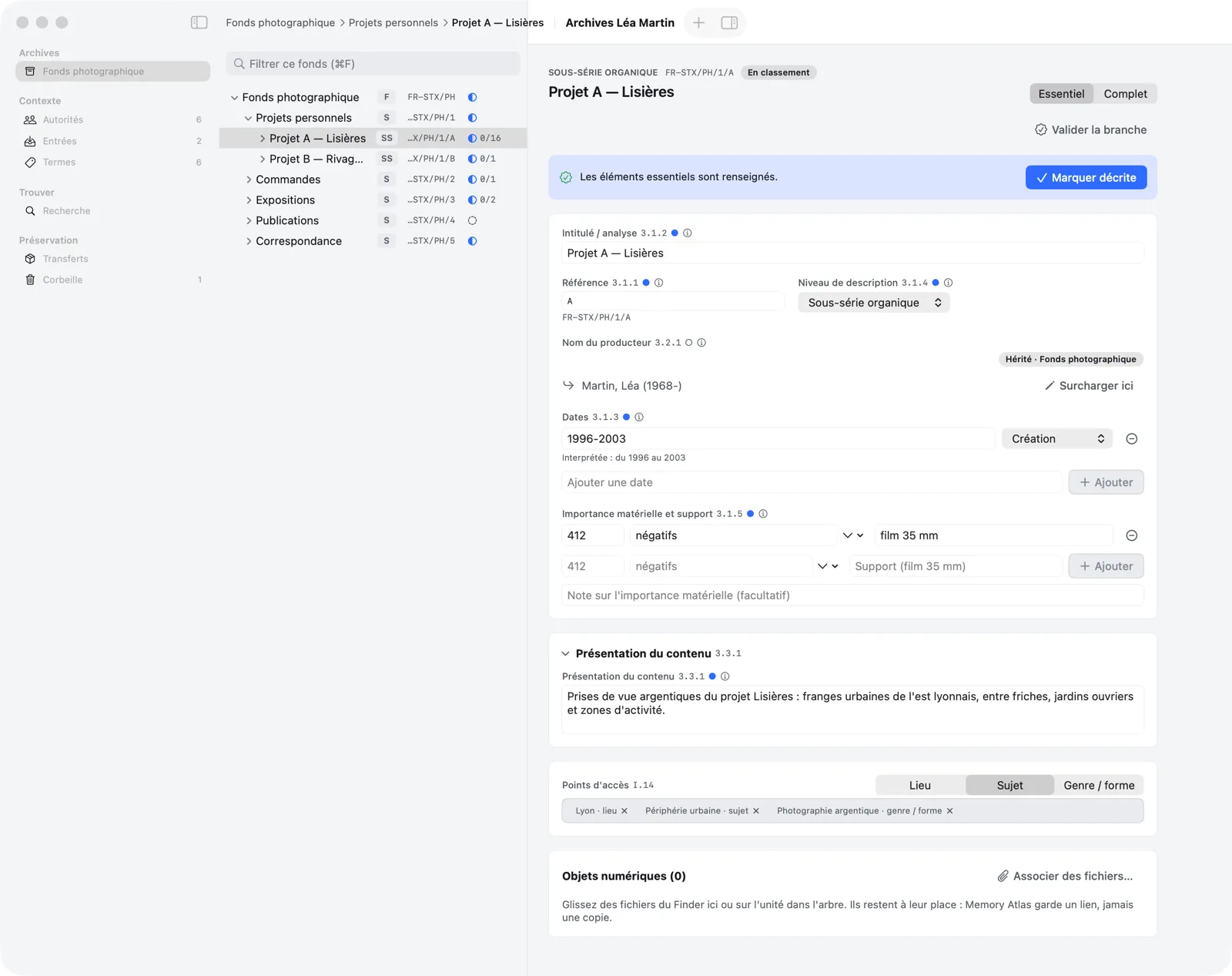
Each term appears as a tag, with its type; the cross removes it from the unit (the term stays in the list of terms).
The Terms destination
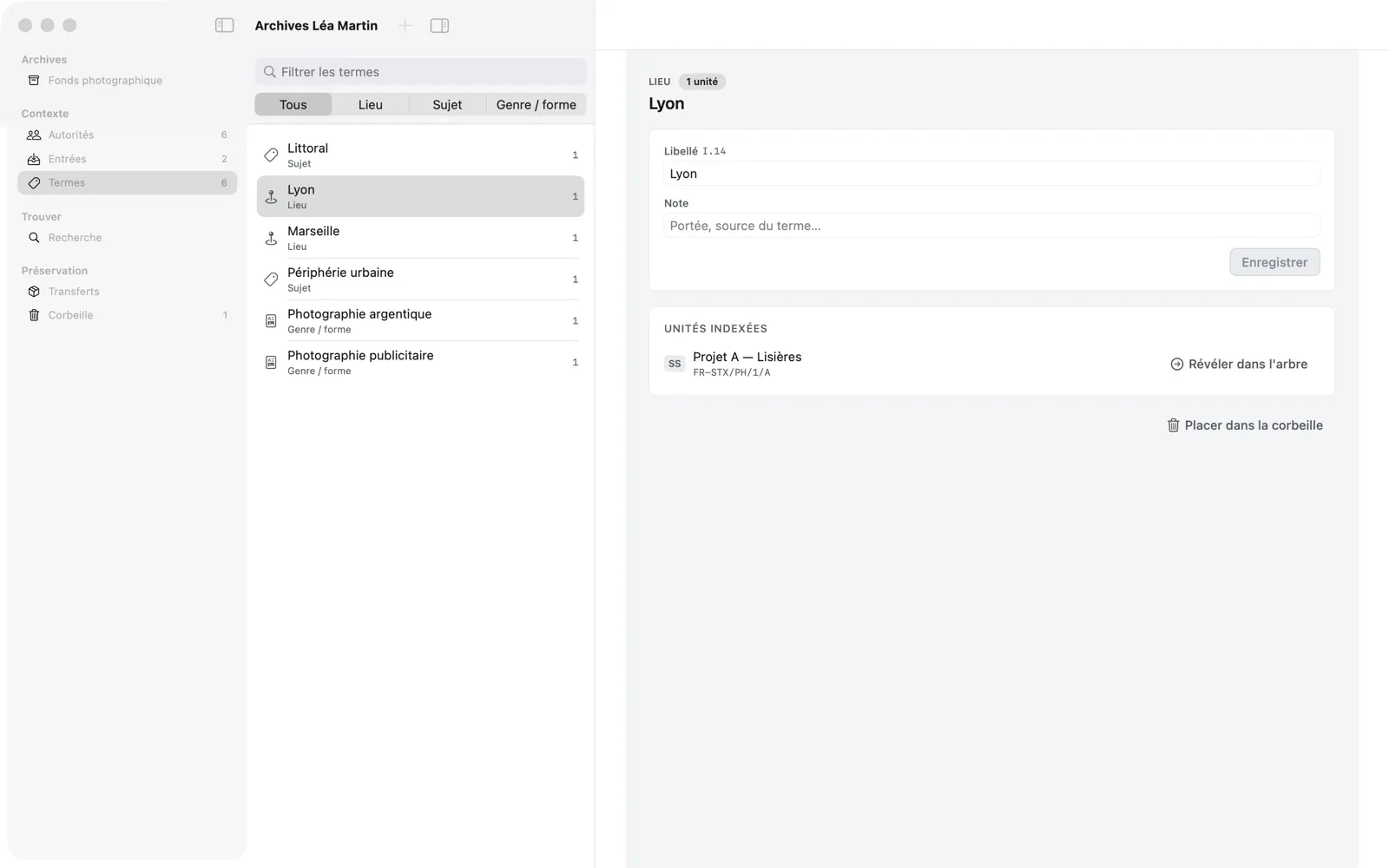
Terms (⌘3) lists all the terms, which you can filter by text and by type (All, Place, Subject, Genre / form), with the number of indexed units. A term’s details let you correct its Label, add a Note (scope, source of the term…) then Save, see the Indexed units (with Reveal in Tree) and Move to Trash the term.
Genre / form terms also serve as the Type filter in search.