Documentation
Learn Memory Atlas, step by step.
The user guide follows a single example, from first launch to the transfer package: Léa Martin, a photographer, describes thirty years of studio archives.
User guide
All chapters.
Read them in order to follow the example, or go straight to the feature you need.
- 00Introduction
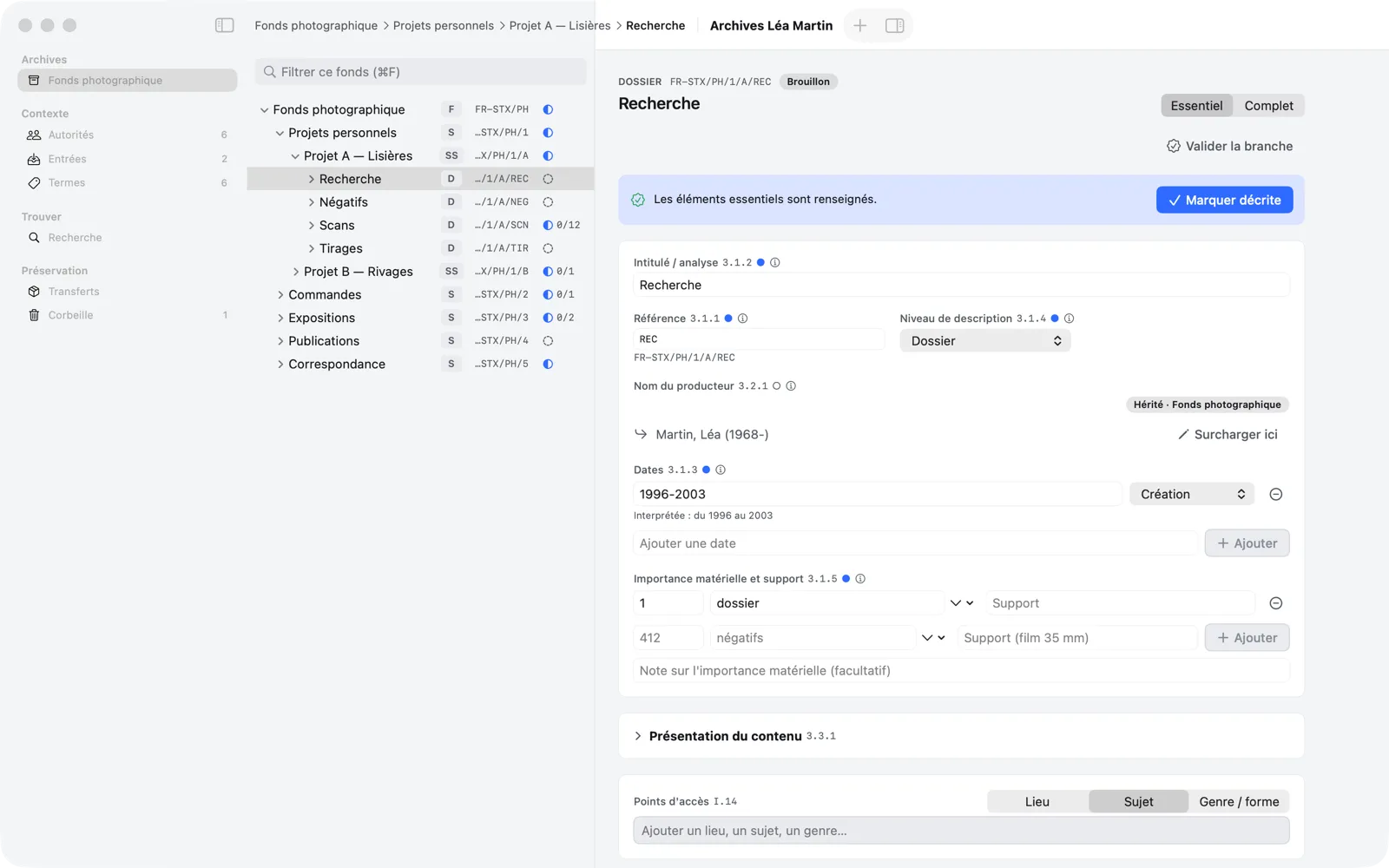
Memory Atlas is a macOS application for arranging, describing and preparing your archives for preservation. You build the tree of a fonds (fonds…
- 01Install and get started
Install the application, the welcome window, choose the language.
- 02Create a repository
The .atlas file, the country code and the repository code, the repository identity.
- 03Build the tree
Create the fonds, its series, files and items; rename, move, filter, Trash.
- 04Describe a unit
The Essential and Complete modes, dates, extent, “Mark Described.”
- 05Inheritance
State once, at the fonds level, what applies to all its descendants.
- 06Authorities and access points
Creators, linked persons and corporate bodies; places, subjects, genres.
- 07The accession register
Gifts, deposits and purchases, and how they link to fonds.
- 08Digital objects
Associate files without copying them, create one item per file, find a file that has moved.
- 09Searching
Global search, its filters and the ⌘K command palette.
- 10Validating and transferring
Validate a branch, “Prepare for Preservation”, track transfers.
- 11Settings and safety copies
Language, default mode, export folder, automatic copies and restoring.
- 12Troubleshooting and FAQ
Read-only mode, damaged repository, file not found…
Next step
Give your archives a description that lasts.
Memory Atlas 0.3 is available on request. Tell us about your fonds and we will send you the app.